
For years, one of Gmail’s most frustrating rules was also one of its simplest: if you created an @gmail.com address, you were stuck with it. You could change your display name, add dots, or use “+” aliases but you generally could not change the actual Gmail username (the part before “@gmail.com”) without creating an entirely new account.
Now, that rule appears to be loosening. Google is gradually enabling a feature that lets some users change their Gmail address inside their Google Account, according to Google’s support documentation and early user reports. The option is not available for everyone yet, suggesting a phased rollout.
What makes this update significant isn’t just the ability to change the email—it’s that, when it works, it can happen without losing your inbox or your Google account history.
Consider a user who created an account years ago with a casual or outdated username:
Over time, this account may now contain:
In the past, the only clean solution was creating a brand-new Google account and manually migrating files, contacts, and logins often an incomplete and risky process.
With the new rollout (for eligible accounts), the user may be able to change their Gmail address to something cleaner and more professional:
If the feature is active, the change can be made through:
Google Account → Personal info → Email
Here’s the practical “before vs after” in plain terms:
Before
After (for accounts where Google enables it)
For the user, this feels less like creating a new email and more like renaming the public label on the same account.
A common situation involves people who created a Gmail account during school or early career years and later found the address unsuitable for professional use.
For example:
Previously, switching meant asking clients and contacts to update records and risking missed messages during the transition.
With the new option (where available), the user can adopt the professional-looking address while still receiving emails sent to the older one, reducing disruption and confusion.
A key caution: third-party logins may not update automatically
This is where users need to be careful.
Many apps and websites use your email address as the primary account identifier, even when you sign in with Google. As a result, changing your Gmail address does not guarantee that every external service will immediately recognize the new one.
For example, suppose example.user2009@gmail.com was used to sign in to:
After changing the Gmail address to example.user@gmail.com, the user may still see the old email listed inside those services’ account settings. In most cases, this can be fixed by manually updating the email address within each service but it’s a step many users overlook.
Google itself warns that some third-party apps may continue using the old email until updated directly.
Because the rollout is gradual, many users won’t see the option yet.
To check:
If no edit option appears, the feature is likely not enabled for that account at this time.
Changing a Gmail address affects login identity, account recovery, and security across thousands of connected services. A sudden or universal rollout could cause confusion or lock users out of important accounts.
Google’s measured approach suggests the company is testing the feature carefully before making it more widely available.
If rolled out broadly, this change represents a meaningful shift in how Gmail treats identity. Email addresses once permanent are becoming editable labels, while the underlying Google account remains stable.
For users, that means a long-standing limitation may finally be easing: the ability to correct an old email decision without rebuilding an entire digital life.

Genie 3 is DeepMind’s newest “world model” — an AI system that turns plain text prompts into playable, explorable environments in real time. Type something like “tropical island at sunset with wooden huts and moving waves,” and within seconds, Genie 3 will create that scene. You can walk around inside it, change weather, add objects, […]

Meta just dropped something serious in the AI game—LLaMA 4. And it’s not just another big model in a crowded space. It’s a bold move to challenge OpenAI, Anthropic, DeepSeek, and Perplexity—on their turf. If you’re a developer, founder, or product owner wondering whether you should switch tools or double down on ChatGPT—this breakdown’s for […]

The recent legal defeat of Google against Epic Games Inc., the creator of Fortnite, poses a significant threat to the dominant position of Google and Apple in the lucrative app store market, generating nearly $200 billion annually. The San Francisco jury’s verdict delivers a setback to the business approach of imposing high commissions, up to […]
The UK’s supreme court has ruled that AI cannot be named as an inventor and secure patent rights. It follows earlier decisions from lower courts that reached the same conclusions. On Wednesday, US computer scientist Stephen Thaler lost his attempt to register patents for inventions he says were created by his AI system, DABUS. Thaler […]
AI (Artificial Intelligence) has been progressing at a steady rate, but it has come under fire for the lack of transparency behind its programming. In the past few years, however, we’ve seen a wave of AI-powered services that are transparent and verifiable, meaning that users can trust that they are getting what they want. There […]

Data security concerns are proving to be a substantial impediment to the widespread deployment of AI. Consequently, companies are unsurprisingly leveraging AI itself to tackle these apprehensions. As businesses in various sectors increasingly adopt AI to enhance processes and ensure more precise decision-making, the utilisation of AI-powered security technologies becomes crucial. These technologies can rapidly […]
Kyutai has launched Moshi, an advanced AI model that’s set to revolutionize the AI landscape. Moshi is built on a 7-billion-parameter model, Helium-7B, which processes both text and audio data simultaneously. This allows for a more natural and fluid interaction, akin to conversing with a human. Moshi isn’t just about understanding text; it’s designed to […]

AI isn’t just a product update at Microsoft. It’s a full rewrite of how software is built, sold, and used, starting at the infrastructure level. Under Satya Nadella’s leadership, Microsoft isn’t trying to win the AI race with louder models. It’s doing something sharper, turning AI into an invisible productivity layer that touches code, cloud, compute, […]

The Concern Beneath the Hype AI is breaking new ground every month. From generative models coding software in seconds to tools predicting disease risks faster than doctors — we’re watching machines grow more capable by the day. But while the tech world cheers, Bill Gates is asking what few are willing to: Are we advancing […]
Grok 4: More Than Just a Chatbot Elon Musk’s Grok 4 has arrived. Some people see it as another chatbot. Others think it’s a political tool. But there’s a growing question in business circles: “Can Grok 4 actually help companies understand markets and competitors better than anything else?” That’s where the real story begins. Why […]
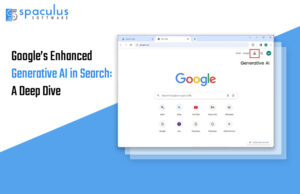
Google has significantly upgraded its search engine using generative AI. These updates aim to make search results more useful, detailed, and easier to understand. Let’s take a closer look at these new features, how they work, their benefits, and any potential downsides Key Features of Google’s Enhanced Generative AI in Search AI Overviews Quick Summaries […]

In a move set to revolutionize the battle against counterfeit luxury items, tech company Entrupy is harnessing the capabilities of artificial intelligence (AI) to provide consumers with a definitive answer on the authenticity of designer handbags and sneakers. The company, established in 2012 and supported by industry giant Louis Vuitton, asserts its ability to accurately […]
The launch of GPT-5 is more than a software update. It’s a business turning point. Built with memory, multimodal input, and autonomous execution, GPT-5 marks a new class of AI. Not just smarter responses—strategic collaboration. For CEOs and CTOs, this means rethinking automation, data governance, decision cycles, and risk. Because this isn’t about testing another tool. It’s about preparing […]

OpenAI is reportedly working with Broadcom to roll out its first in-house AI chip by 2026. That’s more than news, it’s a signal. A signal that the AI wars are no longer just about models and data; they’re about controlling the silicon behind them. The National CIO Review (among others) reports that the chip will […]
Walk into a tech expo right now and you’ll hear the buzz bouncing from booth to booth: generative AI, copilots, automation, machine learning at scale. Banks are eager to showcase their chatbots. Retailers talk up predictive engines. Even tiny consultancies have rebranded their old services with “AI-powered” stickers. It’s exciting, no doubt. But for anyone […]

Nvidia is on a roll! Yesterday, the company unveiled a whole new GPU, the RTX 2000 Ada. Now, the company has just come out with an early version of a new app called Chat with RTX, and it’s pretty exciting for anyone with a newer Nvidia graphics card. This app is all about letting your computer do […]

Quick Take Google’s Gemini CLI is here — and it’s not just another developer tool. It’s a sign that AI isn’t coming for business workflows someday. It’s happening right now. If you’re a founder or business leader, ignoring this shift could cost you speed, savings, and a serious competitive edge. Gemini CLI: More Than a […]
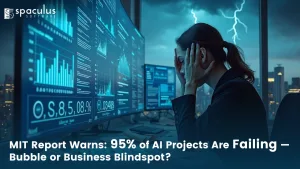
95% number landed like a brick. An MIT Media Lab project says the vast majority of enterprise generative-AI pilots delivered no measurable impact on profit and loss. US business owners understandably want to know what’s real: is this another hype cycle set to pop, or are we missing the basics of how to make AI […]

Danish scientists developed an AI chatbot, life2vec, that can predict potential life events, including health issues and financial success, based on individuals’ data. However, it has been misinterpreted as a ‘death calculator’, leading to privacy concerns. Lots of people are curious about how they’ll die, even though it’s not a fun topic. Some have looked […]

India’s digital landscape is undergoing a profound transformation, mirroring the global shift towards digitization and technological advancement. Businesses across sectors, from established enterprises to government departments and startups, are recognizing the imperative of digital transformation to not just survive but thrive in today’s competitive market. A report by IDC sheds light on this trend, revealing […]

Artificial intelligence has advanced rapidly over the past few years, but many updates have felt incremental to everyday users. Faster responses, better phrasing, and improved creativity were noticeable, yet the underlying experience often remained the same: a powerful chatbot that still struggled with long-term reasoning, consistency, and complex real-world tasks. With the release of ChatGPT […]

Adobe has moved Photoshop from a tool you click to a partner you direct. At Adobe MAX on October 28, 2025 the company introduced an AI Assistant for Photoshop that runs on agentic AI. You describe outcomes. The assistant carries out multi-step edits. It recommends next actions. You can switch back to manual control at […]
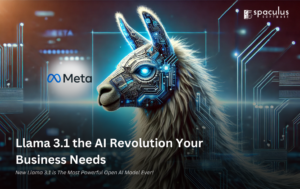
Artificial Intelligence (AI) has made significant strides, bringing us models that are more powerful and capable with each iteration. One such model that’s making a big impact is Llama 3.1. Let’s dive into what makes Llama 3.1 special, compare it with other major AI models like ChatGPT and Claude, and explore how businesses can leverage […]

In the history of software, revolutions rarely announce themselves with fireworks. They arrive quietly, as new tools that change habits before they change industries. The arrival of Cursor 2.0, with its multi-agent update, is one of those moments. For decades, developers have lived inside a loop: write code, run tests, debug, repeat. AI tools started […]

OpenAI is facing another privacy complaint in the European Union. This one, which has been filed by privacy rights nonprofit Noyb on behalf of an individual complainant, targets the inability of its AI chatbot ChatGPT to correct misinformation it generates about individuals. The tendency of GenAI tools to produce information that’s plain wrong has been well documented. […]
A group of 11 nonfiction authors have joined a lawsuit in Manhattan federal court that accuses OpenAI and Microsoft (MSFT.O) of misusing books the authors have written to train the models behind OpenAI’s popular chatbot ChatGPT and other artificial-intelligence based software. The writers, including Pulitzer Prize winners Taylor Branch, Stacy Schiff and Kai Bird – […]

Meta is testing a new generative AI -based feature on its social media platform, Instagram. The newly rolled-out feature is Meta AI, which is the company’s general-purpose, AI-powered chatbot. Similar to Bing Chat, it can answer questions, write poetry, and generate images with a simple text prompt. Meta unveiled Meta AI in September 2023 and […]

The web’s video misinformation problem is set to get a lot worse before it gets better, with OpenAI CEO Sam Altman going on the record to say that video-creation capabilities are coming to ChatGPT within the next year or two. Speaking to Bill Gates on the Unconfuse Me podcast (via Tom’s Guide), Altman pointed to […]
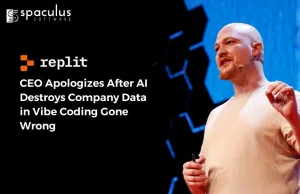
A wake-up call for CEOs, CTOs, and business leaders who’ve placed blind trust in autonomous AI agents What if your most valuable business data vanished overnight? You didn’t click delete. You didn’t click delete. You didn’t approve any change. You even typed “NO MORE CHANGES” in all caps. And yet, the AI agent running your app went ahead and […]

When Sam Altman makes a bold promise, the tech world listens. And his recent comment about OpenAI’s upcoming open-source release wasn’t just bold — it was a warning. “Our next open source model will blow your mind.” Not a benchmark. Not a press release. A straight-up statement of intent. This wasn’t marketing noise. It was a directional […]

Anthropic’s Claude Code has exposed internal source code for the second time in under a year. At this point, it’s fair to ask whether there’s a deeper problem with how these tools are managed behind the scenes. What went wrong Claude Code is a developer tool designed to help people write and navigate code. But somewhere along the way, it started surfacing […]
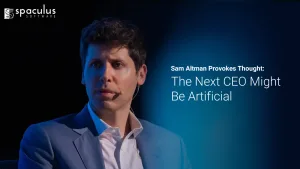
At a small dinner with reporters in San Francisco on August 15, 2025, Sam Altman was asked if he expected to still be OpenAI’s CEO a few years from now. His answer landed like a spark: maybe the CEO will be an AI. In the same conversation, he said investors are overexcited about AI and […]

Social media platform X suffered an outage for over one hour on Thursday, with users complaining that they could not access posts on the platform. The services were back and posts became visible after sometime, but some users were unable to see several of their recent posts on the platform. According to Downdetector, complaints started […]

An average of eight in ten top business executives globally feel more or as exposed to cybercrime than they did last year, a new survey showed on Thursday. The World Economic Forum’s Global Cybersecurity Outlook 2024 report, prepared in collaboration with Accenture, also flagged threats posed by AI-generated deepfakes to spread false information about candidates […]

Microsoft has announced a Voice Clarity feature that uses artificial intelligence technology to improve the video calling experience on Windows 11. The feature, which was previously only available on Surface devices, is now available to all users and made its debut in the latest Canary build for Windows 11. The new Voice Clarity feature is […]

The PC market has had quite a few tough quarters in a row. According to a report by IDC, there has been an “unprecedented trend” in the PC market — two consecutive years of double-digit year-over-year drops. However, the research firm is optimistic about the market’s recovery. “Despite the short-term challenges, IDC continues to expect […]

Web3.0, seen as the future of the digital landscape, is expected to shape 2024 based on developments in 2023. The year witnessed regulatory strides, moving from skepticism to frameworks, and clarity in the crypto and blockchain space. In terms of investments, Web3.0 attracted $549 million in September 2023, with a total of 118 deals. Notably, […]

Artificial Intelligence is evolving at a rapid pace, and Manus AI has entered the scene as a major player. While most businesses are familiar with OpenAI and emerging players like DeepSeek, Manus AI is positioning itself as a game-changer in digital transformation strategies. But how does it compare to industry giants, and more importantly, how […]

Microsoft first launched its AI-powered Office features for businesses in November, but just two months later the company is already offering them to consumers. Copilot Pro is launching today as a $20 monthly subscription that provides access to AI-powered features inside Office apps like Word, Excel, and PowerPoint alongside priority access to the latest OpenAI […]

Nvidia entered “correction territory,” after shares briefly fell 10% from their most recent all-time closing high. Shares had recovered by Wednesday’s close when they were only about 8% off the high. The company, which makes graphics processing units — or GPUs — has been a key beneficiary of the artificial intelligence boom, which boosted demand […]

Four months ago, Yann LeCun left Meta. This week, he came back with $1.03 billion and a plan to challenge how AI is built. His new startup, Advanced Machine Intelligence Labs or AMI Labs, just closed the largest seed funding round a European company has ever raised. No product. No revenue. About twenty employees. And […]

The US government issued new rules Thursday requiring more caution and transparency from federal agencies using artificial intelligence, saying they are needed to protect the public as AI rapidly advances. But the new policy also has provisions to encourage AI innovation in government agencies when the technology can be used for the public good. The White […]

Apple is on the verge of a ban on two of its latest smartwatches in its home country. The ban could impact the American brand’s $17 billion business. However, the company is working on software fixes for the Watch Ultra 2 and Watch Series 9 to prevent this, according to a report by Bloomberg. Apple […]
The release of GPT 5.1 marks an important moment in the fast moving world of artificial intelligence. This update is not a small step. It pushes the model closer to becoming a practical tool that people can rely on in real work. The new version focuses on better reasoning more control over tone and deeper […]

ChatGPT 5 is on its way, and it promises to be a game-changer. Sam Altman, CEO of OpenAI, recently made some significant statements about the upcoming release, shedding light on what we can expect. Let’s dive into the details with a comprehensive look at the features, advancements, and what this means for everyone. Key Highlights […]

Over the past week, NVIDIA made a bold statement: data center spending is heading for the trillion-dollar mark. Not over decades. But soon. Most headlines called it a milestone forecast. Investors saw a stock bump. Tech media ran the usual cycle. But here’s the truth: This isn’t a sudden explosion. It’s the culmination of years of slow, structural change […]

Last week, OpenAI quietly introduced its latest model, o3‑pro — and while the headlines were minimal, the implications are significant. No massive press event. No flashy interface demos. Just a quietly released update aimed at something more strategic: practicality. And that’s exactly what makes it worth your attention. Not a Breakthrough — A Strategic Correction […]

GPT-5 is live in ChatGPT and the API. It’s stronger on coding, math, and multimodal tasks, and it gives you new controls for reasoning and verbosity. GPT-4.1 still has the largest context window. Use GPT-5 for agents, code edits, and tool chains; use 4.1 when you truly need million‑token single shots. What changed at a […]
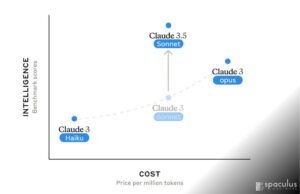
In a significant advancement in AI technology, Anthropic has unveiled Claude 3.5 Sonnet, the latest version of their sophisticated AI model. This release brings several enhancements that position Claude 3.5 Sonnet as a strong competitor to OpenAI’s ChatGPT 4. Here’s an in-depth look at Claude 3.5 Sonnet, its new features, and a comparison with ChatGPT […]

From overhauling online platforms to backroom engineering, Google, Apple, Amazon, Microsoft, Meta, and TikTok owner ByteDance have scrambled over the last six months to comply with landmark EU tech rules that come into force on Thursday. The Digital Markets Act (DMA) is one of the most comprehensive regulatory actions to rein in so-called “Big Tech” […]

LinkedIn — the social platform that targets the working world — has quietly started testing another way to boost its revenues, this time with a new service for small and medium businesses. Spaculus Software has learned and confirmed that it is working on a new LinkedIn Premium Company Page subscription, which — for fees that appear […]
Artificial Intelligence is advancing at an incredible pace, and Baidu, one of China’s biggest tech companies, is leading the charge. On March 16, 2025, Baidu introduced two cutting-edge AI models: Ernie 4.5 and Ernie X1. These models are designed to handle multiple types of data (like text, images, and videos) and have advanced reasoning capabilities. […]

Meta Platforms’s Instagram appeared to be back online for most users after an outage disrupted services for the photo-sharing platform for more than three hours on Thursday, according to Downdetector.com. The number of outages has come down to around 400 after more than 5,000 users reported issues with accessing Instagram in the United States around 2230 GMT, […]

Over the past few years, we’ve seen Microsoft shift its focus to generative AI and its advances, especially after making a multi-billion investment into the technology, further extending its relationship with OpenAI. Microsoft, a global leader inartificial intelligence (AI) technology, has announced its plans to establish a groundbreaking AI hub in London. This strategic move underscores […]
The story most people absorbed about OpenClaw was incomplete. What spread fastest was fear. Security headlines. Misconfiguration warnings. Claims that an AI agent had crossed a line it should never cross. That framing was convenient, dramatic, and ultimately shallow. OpenClaw did not become viral because it was reckless. It became viral because it made something visible that had been […]

All the Big Tech companies along with others like Intel, IBM, Netflix, Facebook, and Spotify use Python as their primary language. Google has reportedly handed pink slips to its entire Python team in the US. But should it cause fear among Python developers across the industry? Studies suggest otherwise. As per a 2023 Developer […]

Check Point Software Technologies Ltd. today announced its collaboration with NVIDIA to enhance the security of AI cloud infrastructure. Integrating with NVIDIA DPUs, the new Check Point AI Cloud Protect solution will help prevent threats at both the network and host levels. “AI provides great benefits across healthcare, education, finance and more. At the same […]
The Market Didn’t Panic Over a “Chatbot.” It Panicked Over a New Software Model. A sudden selloff wiped roughly $285 billion from the market value of software and information-service stocks in a single trading session after investors digested news around Anthropic’s Claude Cowork, a new agentic AI product that goes far beyond conversational AI. This wasn’t a reaction to “Claude being smarter.” It was a […]

What’s Driving All the GPT‑5 Buzz Right Now? You don’t need to be an AI researcher to feel the shift. People are sensing something different with GPT‑5. It’s not just about what the next version of ChatGPT can “say”-it’s about what it might do. And that’s a major pivot. While previous versions felt like upgraded calculators, […]

Prime Minister Narendra Modi recently said India will lead the world in AI capabilities and exhorted young entrepreneurs and startups to work on “Indian solutions for global applications” to solve challenges faced by nations worldwide. Addressing the Startup Mahakumbh, Modi said the three missions on AI, semiconductors, and quantum, launched by the government earlier, will […]
The Prebuilt Hype That Swept the Tech World For years, business owners have been bombarded with a seductive message: “Why hire developers? Just pick a prebuilt tool, click a few buttons, and launch your app.” Platforms with sleek UIs and bold claims have flooded the market. Builder.ai, Bubble, OutSystems, Appgyver — all promised to make […]

Artificial Intelligence (AI) is one of the most powerful tools developed in recent decades. And, as the saying goes, with great power comes great responsibility. This power raises concerns about bias and the spread of misinformation through AI-generated content. For businesses, those are just some of the risks they need to address when using AI products. Businesses that fail […]

When you type into an AI model, where does that data go? Who sees it? Can it train the AI? And how long is it stored? These aren’t hypothetical concerns. In 2025, prompt data is a business asset — and a potential liability. We dug deep into the actual privacy policies, terms, and legal pages […]

Luma AI has introduced a groundbreaking AI-powered tool called Dream Machine, revolutionizing the way videos are generated from text and image prompts. This innovative technology enables users to create high-quality, realistic videos by simply typing a description or uploading an image. Dream Machine stands out in the rapidly evolving AI video generation market by offering […]

AI just got a whole lot more accessible and you don’t need expensive hardware to be part of it. Imagine buying a brand new smartphone but being told you can only use it if you also buy a $3,000 accessory. That’s basically what running AI has felt like for the past few years. Want to run a powerful AI model on your own computer? You need […]
The AI industry is booming—but beneath the surface, it’s riddled with a quiet crisis. While the world is captivated by advancements in large language models, multimodal capabilities, and generative tools, a large number of AI startups are quietly folding. This isn’t about bad tech. In fact, many of these companies are shipping some of the […]

It is a universal truth of human nature that the developers who build the code should not be the ones to test it. First of all, most of them pretty much detest that task. Second, like any good auditing protocol, those who do the work should not be the ones who verify it. Not surprisingly, […]
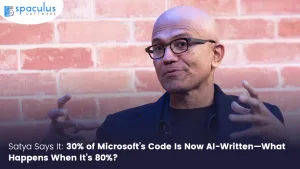
A Quiet Revolution in Plain Sight In April 2025, Satya Nadella made a statement that stopped the software world in its tracks. Speaking with Mark Zuckerberg at Meta’s LlamaCon, he revealed that around 30% of Microsoft’s code is now generated by AI tools. Not theoretical code. Not experimental. Production code—inside real repositories at one of […]

2023 has been the year of generative AI chatbots and the Large Language Models (LLMs) behind them. These models have been growing exponentially, and some AI experts are worried that this could be dangerous for humanity. They argue that things shouldn’t be progressing at this rate, especially without supervision. That said, experts have voiced their […]

Apple announced iOS 26 last week. Most headlines focused on “Liquid Glass.” Some called it the biggest redesign in years. But if you’ve been in tech long enough, you already know the truth: This isn’t a revolution. It’s a reframing. No dramatic leap. No breakthrough AI. Just enough change to force businesses to catch up. And that’s exactly why […]

Bay area startup Cognition today revealed Devin, a revolutionary AI software engineer that could transform the way we build software. Devin has achieved groundbreaking success on the SWE-bench coding benchmark, demonstrating its ability to execute complex tasks and even surpass top human engineers. Devin’s unique abilities set it apart from your typical coding assistant. With […]