WRITTEN BY

Hiren Mansuriya
Director & CTO
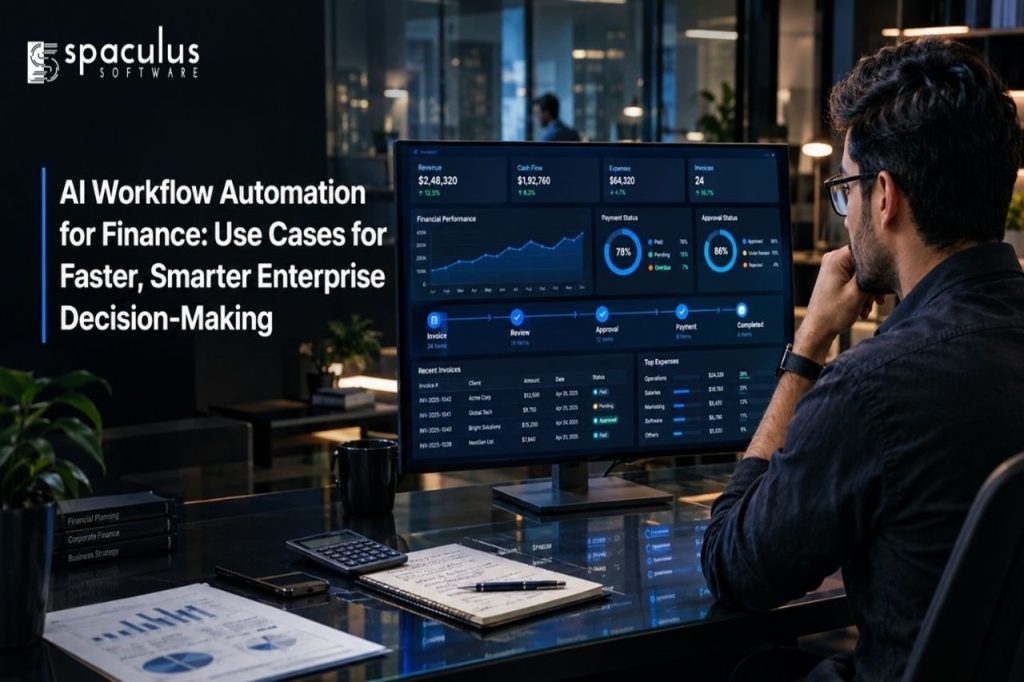
Finance teams rarely suffer from a lack of data. The bigger problem is how long it takes to turn that data into a reliable decision.
An unexpected expense may sit unnoticed until the monthly report. An invoice mismatch may move through several email chains before reaching the right approver. A cash-flow risk may become visible only after customer payments are already late.
AI finance workflow automation reduces this delay. It connects financial data, business rules, AI models, and approval processes so enterprises can detect changes, investigate their causes, and take controlled action sooner.
The goal is not to give AI complete control over financial decisions. It is to help finance professionals make better decisions with timely evidence.
AI workflow automation can help finance teams process invoices, prioritize collections, forecast cash flow, investigate expenses, explain budget variances, accelerate financial close, and model spending decisions.
A reliable enterprise workflow should follow five stages: detect, investigate, recommend, approve, and act. AI can automate routine decisions within defined limits, but high-value, regulated, or unusual transactions should remain under human control.
The best starting point is a workflow with high volume, clear rules, accessible data, and measurable delays.
AI finance automation is most valuable when it supports an entire decision process rather than performing one isolated task.
A well-designed workflow follows five stages:
This structure separates analysis from authority. AI may detect and explain an issue, but the organization determines whether the system can act independently.
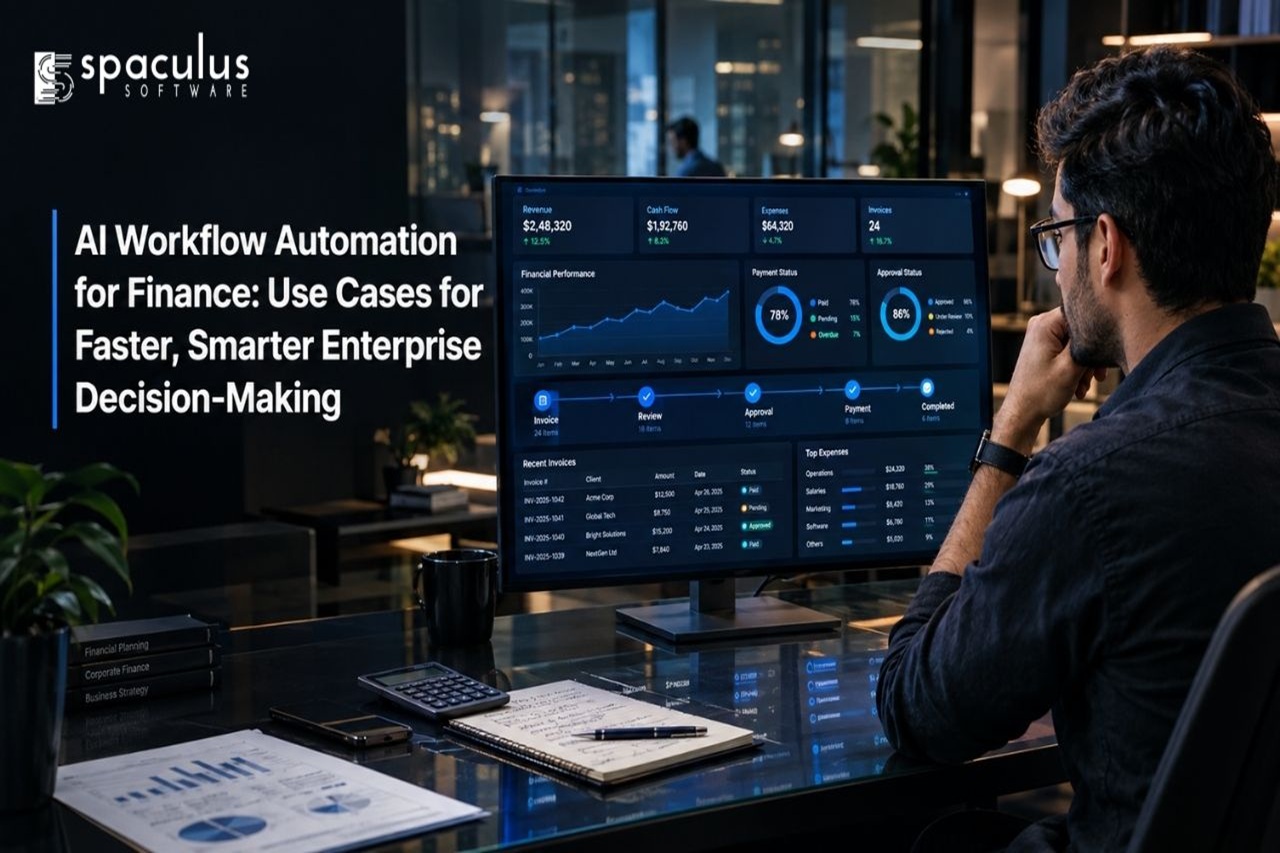
Invoice processing requires more than extracting text from a document. The finance team must confirm that the supplier is valid, the purchase order exists, the goods or services were received, and the requested payment matches the agreed terms.
An AI workflow can capture invoice data and compare it with purchase orders, contracts, delivery records, supplier history, and approval policies.
A correctly matched invoice below an approved threshold might proceed automatically. An invoice with duplicate details, changed banking information, missing documentation, or an unexpected amount should be held and sent to an employee with the issue clearly explained.
The decision becomes faster because the approver receives the invoice, evidence, and recommended action together.
A cash-flow forecast can become outdated quickly when it depends on manually updated spreadsheets.
AI workflows can combine bank balances, unpaid invoices, customer payment behavior, payroll commitments, subscriptions, planned purchases, and sales forecasts. The system can continuously compare expected and actual cash movement.
Instead of sending a general warning, it can show that a major customer is likely to pay late, identify which upcoming obligation creates the greatest risk, and model the effect on the company’s cash position.
The CFO still decides whether to delay spending, adjust collections, or use available credit. AI shortens the time required to recognize and evaluate the problem.
A basic collections process often prioritizes accounts according to invoice age. That does not show which overdue payment presents the greatest financial risk.
An intelligent workflow can examine the unpaid amount, payment history, dispute status, communication, customer value, and probability of collection. It can then recommend which account should receive attention first.
Routine reminders may be sent automatically. A disputed invoice can be assigned to the responsible account manager. A high-value balance with repeated delays can be escalated to the credit team.
This helps employees focus on accounts that could materially affect working capital rather than treating every overdue invoice in the same way.
Identifying that a variance exists is only the beginning. Finance leaders also need to know what changed, why it changed, and whether action is required.
AI can compare actual results with budgets, forecasts, and previous periods. It can then connect a variance to specific products, vendors, departments, regions, campaigns, or operating events.
For example, the system may find that a margin decline came from higher shipping costs in one region rather than lower company-wide sales. It can prepare a draft explanation and rank the variance according to its financial impact.
Finance analysts validate the conclusion, while business leaders receive a clearer and more timely explanation.
Financial close involves reconciliations, journal entries, supporting documents, approvals, and coordination across several departments. A few unresolved accounts can delay the complete reporting cycle.
An AI workflow can monitor close tasks, identify missing approvals, compare balances, flag unusual journal entries, and predict which items could miss the reporting deadline.
Instead of discovering incomplete work at the end of the cycle, controllers receive earlier warnings and can assign the right person to investigate.
AI can also draft reconciliation summaries and variance explanations. However, material journal entries and final financial statements should still be reviewed by authorized finance professionals.
Finance teams cannot manually investigate every transaction with the same level of detail.
AI can analyze transaction amount, merchant, timing, location, employee history, supporting documents, and company policy. It can identify possible duplicate expenses, split transactions, unusual merchants, or spending patterns that differ from normal behavior.
An anomaly should not automatically be treated as fraud. It is a signal that requires investigation.
The workflow should show why the transaction was flagged, provide the related records, and route it to the appropriate reviewer. This approach increases review coverage without making unsupported accusations.
Budget decisions require finance leaders to consider revenue, costs, cash, operational capacity, and uncertainty at the same time.
AI can help teams model scenarios such as a sales decline, supplier price increase, delayed product launch, new hiring plan, or expansion into another market. It can show how each assumption may affect cash flow, profit margins, and budget targets.
The system can compare possible outcomes, but it should not make the final strategic decision. Leaders must still judge whether the assumptions are realistic and whether the financial risk supports the expected business value.
Not every financial workflow should have the same level of automation.
| Financial decision | Appropriate AI role | Human responsibility |
| Routine invoice within policy | Validate and process | Monitor exceptions |
| Invoice or purchase-order mismatch | Investigate and recommend | Approve, reject, or request evidence |
| Cash-flow warning | Forecast and prioritize risks | Select the financial response |
| Unusual expense | Flag and explain | Investigate before acting |
| Material journal entry | Prepare evidence and draft entry | Review and approve |
| Budget reallocation | Model scenarios | Make the final decision |
| Regulated credit decision | Support analysis | Validate, explain, and authorize |
The higher the financial, legal, or customer impact, the stronger the human approval requirement should be.
A responsible approach to enterprise AI development should define data access, approval limits, audit requirements, and human responsibility before the workflow goes live.
Reliable automation requires more than an accurate model. It also requires enterprise AI data governance, controlled access, traceable data, defined approval limits, audit logs, exception handling, and ongoing monitoring. The US Treasury’s report on AI in financial services identifies data quality, explainability, privacy, bias, and third-party dependencies as important concerns.
Explainability is especially important when decisions affect customers. The Consumer Financial Protection Bureau states that creditors using complex algorithms must still provide specific and accurate reasons for adverse actions.
An enterprise should therefore be able to answer three questions about every automated decision:
Enterprises without the required in-house expertise can hire AI engineers to map financial processes, connect existing systems, build decision logic, and establish human approval controls. Enterprises should not begin with the most technically impressive use case. They should begin where the business value can be measured.
A suitable first workflow usually has high transaction volume, repeated manual steps, documented approval rules, accessible data, and a clear exception path. Invoice matching, collections prioritization, close-task monitoring, and expense review often meet these conditions.
Before implementation, record the current processing time, error rate, exception volume, and cost. These baselines make it possible to measure whether automation creates genuine value.
Useful performance measures include decision time, forecast accuracy, close-cycle duration, invoice approval time, exception-resolution time, prevented duplicate payments, and the percentage of AI recommendations accepted by human reviewers.
Spaculus Software helps enterprises connect financial data, AI analysis, business rules, and human approvals within secure workflow systems.
Spaculus Software provides custom software development for enterprises that need finance workflows tailored to their existing systems, policies, approval structures, and reporting requirements. Our team can support ERP and API integration, document processing, decision logic, role-based access, exception management, monitoring, and audit trails. Each workflow can begin with a measurable finance problem and expand only after its accuracy, security, and business value have been validated.
The objective is not to remove finance professionals from important decisions. It is to give them reliable evidence and enough time to make those decisions well.
AI finance workflow automation can accelerate invoice decisions, collections, cash forecasting, variance analysis, financial close, expense investigation, and budget planning.
The strongest workflows do more than complete repetitive tasks. They detect financial signals, investigate the context, recommend an action, apply the correct approval, and record the result.
Enterprises should automate routine, low-risk decisions within defined limits. Material, unusual, customer-facing, and regulated decisions should retain human oversight.
Faster decisions create value only when they remain explainable, secure, traceable, and financially responsible.
No. AI workflows can connect with existing ERP, banking, procurement, CRM, and document systems while the ERP remains the main financial system of record.
AI can approve or process routine transactions within defined policies and value limits. High-value or unusual transactions should require an authorized human reviewer.
Measure processing time, cost per transaction, error rates, forecast accuracy, close duration, exception-resolution time, working-capital improvements, and employee capacity released for higher-value work.
Invoice processing and exception handling are common starting points because they involve high volumes, repeatable rules, measurable delays, and clear approval paths.
AI Chatbot DevelopmentHiren, a visionary CTO, drives innovation, delivering 300+ successful web/mobile apps. Leading a 70+ tech team, Hiren excels in DevOps, cloud solutions, and more. With a top-performing IT Engineering background, Hiren ensures on-time, cost-effective projects, transforming businesses with strategic expertise.